
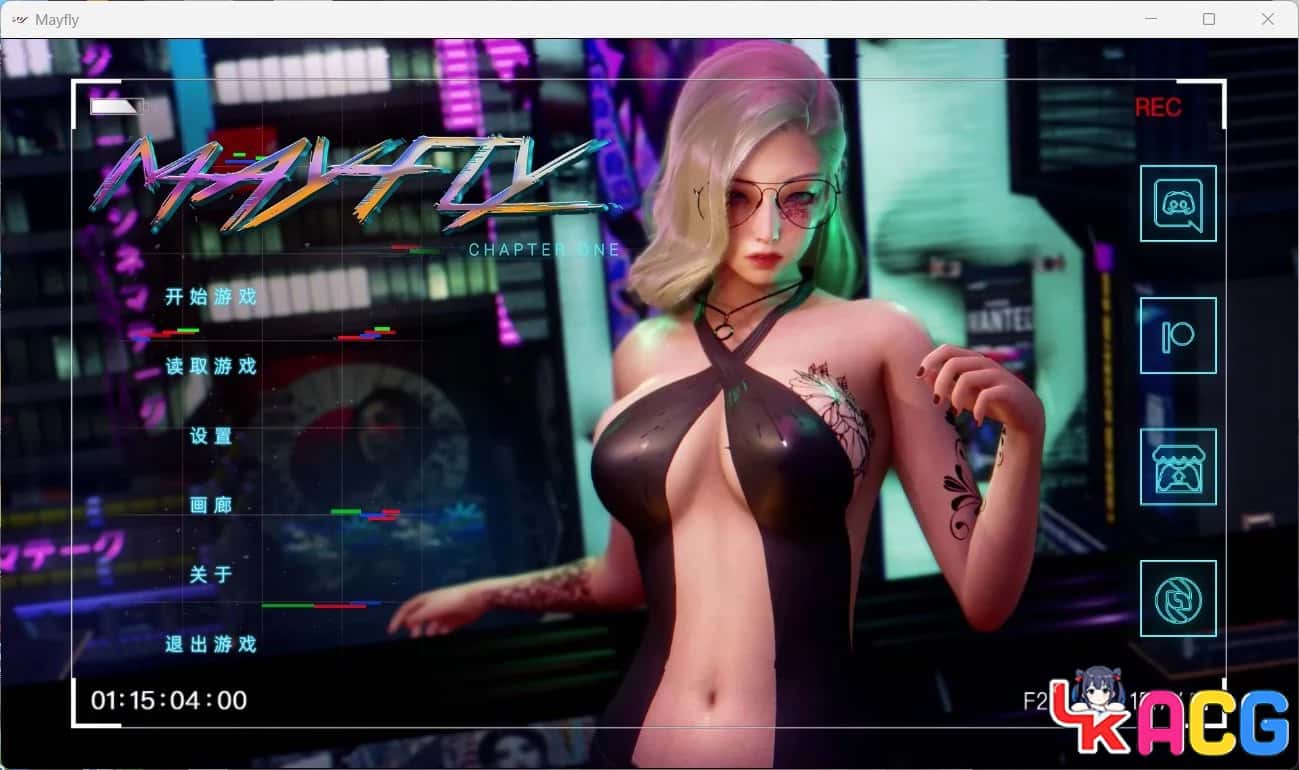
galGame介绍
攻略指南
第一章:序章与初期探索
基础流程:
输入角色名字 → 休息片刻 → 前往二楼
前往希拉的房间 → 返回自己的房间 → 前往学校
继续上课 → 选择"不看"(三个选项效果相同,任选)
前往地铁站 → 返回家中 → 选择"两颗"
前往客厅 → 前往希拉的房间 → 选择"提起" → 选择"按摩"
学校初探:
前往学校 → 继续上课 → 前往男卫生间
(单一选项省略详细描述)
前往教室 → 前往杂货店 → 在前台购物 → 离开商店
第二章:日常生活与调查开始
家中活动:
返回家中 → 前往洗手间 → 查看所有新选项
停止作业 → 前往户外 → 跟随流程选项
前往教室 → 返回家中 → 回到房间
查看新增选项 → 停止作业 → 前往洗手间
关键选择1:
存档点 → 选择"我忍不住了..." → 读档
选择"算了,今晚就继续..."
关键选择2:
前往教室 → 存档点 → 选择较激进选项 → 读档
选择"轻轻地擦拭" → 选择"闭上眼睛想点别的"
相机任务:
前往教室 → 存档点 → 选择第一个选项体验剧情 → 读档
选择"专注于任务!拿相机" → 躲藏在储物柜
敲打储物柜 → 返回家中
第三章:重要线索发现
信息收集:
前往自己房间 → 查看两个新增内容 → 停止作业
使用新的观察点 → 查看所有内容
剧情提示:此处会发现校长和白姬与父亲事件的关联
调查进展 → 停止作业
日常流程:
前往洗手间 → 选择"忍不住" → "不要加快速度"
选择"乡村车站" → "明智地等待"
前往教室 → 前往杂货店 → 四处查看 → 在收银台购物
离开商店 → 前往公园 → 做引体向上
重要选择:
返回家中 → 前往洗手间 → 看电视 → 查看信息
停止作业 → 存档点(先选"给她",查看结果后读档)
选择"不取悦" → 在有人进入前处理 → 移开手
选择用最简单的方式
第四章:训练与准备
基础活动:
前往公园 → 前往杂货店 → 任选(必定失败) → 离开
前往洗手间 → 看电视 → 查看信息
查看所有新内容 → 停止作业
前往洗手间 → 前往男卫生间 → 使用设施
前往教室 → 保持安静
家庭互动:
前往地铁站 → 返回家中 → 前往客厅 → 选择"提醒她"
查看当前目标 → 查看已开始任务 → 返回
停止作业 → 看电视 → 前往餐厅 → 前往洗手间
战斗训练:
前往教室 → 前往公园 → 前往杂货店 → 前往洗手间
选择"做你想到的第一件事" → 停止作业
前往餐厅 → 前往洗手间
练习"连续站立轻拳" → 练习"上勾拳特殊动作"
医务室事件:
前往男卫生间 → 小便 → 前往医务室
存档点(先选"让雕像崩溃",查看剧情后读档)
选择"警告伊莎贝拉" → 取回相机
搜索储物柜 → 离开前再次搜索 → 前往公园 → 前往洗手间
第五章:第一次地铁事件(重要)
⚠️ 警告:地铁事件容易导致游戏结束,需谨慎选择
地铁场景:
选择"暂时袖手旁观"
存档点(先选"她活该..."查看后果,再读档)
选择"这太过分了..."
后续流程:
前往客厅 → 前往后院 → 前往洗手间 → 前往自己房间
停止作业 → 前往餐厅 → 早点上床休息
学校探索:
前往女生区域 → (可选择"留下"查看特殊事件,但会扣业力)建议选择"离开"
再次前往女生区域 → 前往地铁站 → 前往市中心
选择"靠近她,但不要理会" → 前往蜜蜂吧 → 尝试跷跷板
第六章:日常循环与任务推进
每日活动:
前往客厅 → 停止作业 → 看电视 → 前往餐厅
前往洗手间 → 等待十分钟 → 再等待 → 再等待
前往教室 → 点击一次 → 点击三次 → 点击五次
区域探索:
前往女生区域 → 前往杂货店 → 前往公园 → 前往洗手间
前往自己房间 → 查看当前目标 → 查看当前任务 → 返回
继续训练:
停止作业 → 练习"连续站立刺拳" → 练习"上勾拳"
选择"听听她的意见" → 前往男卫生间 → 小便
前往教室 → 前往男卫生间 → 再次检查医务室
前往公司:
前往地铁站 → 前往市中心 → 选择"靠近她,但不要理会"
前往财阀株式会社
回家流程:
前往自己房间 → 查看当前目标 → 查看当前任务 → 返回
停止作业 → 看电视 → 前往餐厅 → 前往洗手间
前往阳台查看 → 等待 → 选择"检查一下,以防万一"
花时间思考最佳方案
密码解谜:
前往男卫生间 → 小便
按照提示图示顺序点击相应位置
第七章:计划实施
准备阶段:
花时间制定行动计划 → 前往希拉房间 → 前往洗手间
检查男孩情况 → 前往更衣室
前往地铁站 → 前往市中心
第二次地铁事件:
选择"假装配合,试图欺骗对方"
任选对话选项
选择关于"前臂和腋窝出汗"的对话
选择关于"黑色衣服吸热"的对话

任务更新:
前往客厅 → 查看当前目标 → 查看当前任务
查看剧情回顾 → 返回 → 停止作业 → 选择"挥手"
关键抉择:
存档点(先选"去卧室",剧情后读档)
选择"为什么要等?" → 选择"你在说什么傻话..."
第八章:设施探索
大楼探索:

前往大厅询问接待员 → 前往按摩室 → 查看妈妈的房间
存档点(依次选择第二个、第三个选项查看完整剧情,最后读档)
选择"我会认真对待" → 选择"告诉他们不,等他们离开"
离开与道场:
前往洗手间 → 前往医务室 → 离开学校
前往高村道场 → 选择"悄悄地..."
检查手机 → 查看当前任务 → 查看剧情回顾 → 返回
第九章:杂货店后门事件
准备工作:
停止作业 → 向她寻求指导
检查女生区域 → 检查医务室 → 检查男卫生间
(选项效果相同,任选)
后门探索:
前往杂货店 → 前往后门
查看文件夹01 → 查看文件夹03 → 任选内容 → 查看文件夹02
对质场景:
选择"面对你的命运" → "强行获得奖励"
选择"给予尊重的回复"
选择"什么都不承认,同时试图..."
选择"说实话,但尽量有格调..."
第十章:追踪任务
初期准备:
前往女生区域 → (选项效果相同,任选)
选择"拒绝洋子" → "无论如何,我要找出她"
存档点(三个选项各试一次)
追踪流程:
走路时想一首打油诗 → 仔细观察选择
等待健硕 → 跟随她 → 等待洋子出来
第十一章:实验室任务(难点)
实验室操作:
询问南(美波)协助 → 使用文件夹 → 检查实验室设备
按照公式调配 → 使用椅子辅助
对话选择:
"你为何闯入我的梦境?"
"你在实验室里忙什么呢?"
"跟我爸在学院的那段日子,讲讲"
选择"传统的"
第十二章:大楼深入探索
楼层搜索:
前往大厅 → 前往随机楼层 → 前往按摩室
选择"先去看看真希..." → "坚持计划,返回"
走左边楼梯 → 环顾四周 → 走右边楼梯
高风险挑战:
选择"玩有史以来赌注最高的游戏"
选择"还是算了吧..." → "老实说..."
选择"就像武士和封建时代一样?"
选择"慢点"(两个选项都可)
冲突处理:
对明日香说谎
选择第二个"试着安抚"(注意:选第一个会+20业力但少一段剧情,可存档体验)
选择"不要做混蛋" → 选择第四个选项 → 选择"放慢"
存档点(先选第一个,剧情后读档)→ 选择第二个
第十三章:最终追踪与潜入
街道追踪:
选择"我没有时间..." → "假装屈服..."
提示:"太阳在东方升起..."
检查左边小巷 → 查看是否有人可以交谈
颜色追踪序列:
跟随紫色目标 → 跟随红色目标 → 选择"不"
跟随黄色目标 → 走左边路线
潜入行动:
寻找其他入口 → 使用垃圾桶爬上
等待更好的机会 → 继续等待完美时机
当她离开电脑时行动 → 尝试从下方倾听
最后对话:
告诉他"你赢得了好运"
只能选第一个选项 → 选择"没有它,我们做得更好"
第十四章:新篇章开始
日常选择:
从厨房拿食物,看电视(两个选项效果相同)
告诉她的评价(选哪个都一样)
选择"那种事绝不会受惩罚"
三选一任选 → 选择"拯救妈妈"
重要分支:
存档点(先选凯瑟琳)→ 再选伊丽莎白
选择"你听够了,让她们停下"
问那个显而易见的问题
选择"一个实现梦想的机会"

选择"放松点,我不是在评判..."
选择"坦白说..." → "我可以利用她..."
第十五章:多重选择与测试
探索选项:
存档点(三个选项都试一次)
提问"为什么" → 三个问题都问一遍 → 选择"没事了"
选择"听说小一点的水果更甜..."
(此处根据个人喜好选择)
知识测试:
回答"维生素B12"
回答"1986年"
前四个选项效果相同,任选
存档点(两个选项都试一次)
最后选择最后一个选项
回答"红与蓝"
角色选择:
存档点(每个角色都试一次)
选择"佳乃"
选择"说清楚点,你可不想..."
选择"我加入..." → "或许我是..." → "再次..." → "继续..."
选择"不,持开放态度" → "以上所有,甚至更多"
任选一个角色 → 选择"诱惑点"
第十六章:深度互动
购物与互动:
选择"我应该面面俱到" → "欣然接受"
前往商店 → 购买发带 → 前往公园
选择"我觉得这非常适合你"
地点选择:
萨默赛德火车站 → 武藏岛大厦
选择"好的,请继续" → "请继续"
查看地图 → 前面四个问题都问一遍
选择"不,我们继续前进"
对话流程:
"你确定那个苹果的事吗?"
"那个刺穿妖怪心脏的试炼"
"让她继续说" → "不了,我没事"
"胡说,我觉得这很适合你"
第十七章:海滩篇章
海滩活动:
前往海滩 → 选择"不,她没对不起我"
饮品选择序列:
柠檬冰茶
一杯脏雪莉
一杯西柚汁
香蕉袋混合物
芬妮根的河流
要花香且带草本味的
要干爽且有风味的
要酸爽且香气浓郁的
精酿啤酒
第十八章:重要分支(雪子vs元子)
⚠️ 重要提示:从这里开始,雪子和元子只能二选一,建议存档体验两条路线
元子(班长)路线:
选择"我当然是走元子路线"
选择"无论雪子能带来什么好处..."
(注意:选"再忍耐一会儿..."则进入雪子路线)
三人选择分支:
剧情后出现三人选择 → 新存档点(建议单独保存)
先选择"高村" → 完成海滩剧情后读档
选择"娜娜莉" → 选择"刻薄但诱人"
(可选:选第二个再选第三个能看到校长剧情,但不重要)
选择"继续按摩,一切顺利..."
选择"我的目光早已回答了一切" → "是时候更进一步了"
元子剧情:
剧情后读档 → 选择"班长"
选择"你保持沉默,无需多言"
选择"我发誓绝不泄露半句"
选择"恰恰相反,元子,怪物不会坦白..."
元子CG分支:
存档点(此处关系到两个元子的CG)
选择"骗她一下..." → 回答"一只螃蟹" → 后续任选
剧情后读档 → 选择"说实话..." → 回答"一只螃蟹"
选择"从遇见你的那天起,我就已经..."
第十九章:终章前奏
回程与休息:
前往火车站 → 选择"洗个放松的澡"
选择"从现在起事情只会越来越难..."
选择"别光站着,进来吧"
选择"难道你要穿着湿衣服站着?这绝不可能"
选择"无论是蠢还是聪明,都要再试一次"
连续选择:
(以下连续四个选项效果相同,任选)
选择"把遥的不满转嫁给明日香"
选择"审视一个更冷酷的眼神" → "施展魅力" → "快速道歉"
课堂场景:
连续选择"听讲课"
存档点 → 选择"去他的命令..."
选择"这一切对你来说都是新的..."
剧情后读档 → 选择"能安慰下是不错,但是得快点"
选择"保持沉默..." → 选择"汪..."
终章:结局
最终对话:
选择"首先我得说点什么"
三个问题都问一遍
选择"遵命..." → "是的,只有你"
选择"我怀疑你..." → "拒绝" → "好吧..."
结局选择:
选择"海伦"
选择"她对你的感觉是她自己的选择,仅此而已"
选择"我觉得她已经努力了,考虑到她的经验不足"
选择"本质上是的,虽然我可能记不全..."
选择"你知道,看不见的话很难成为英雄"
最终场景:
后续任选选项
选择"香织我也爱你"
剧情结束,等待下次更新